
Loksewa Online Form: How to Apply Step by Step (Photo Size, Fee, Deadlines)
A step-by-step guide to the Loksewa online form of the Public Service Commission: documents, the profile and Master ID, photo and signature size, choosing every service group at once, paying the fee, deadlines and common mistakes.
Applications to the Public Service Commission (PSC, लोक सेवा आयोग) are made through its online application system. Filling in the Loksewa online form is not hard, but a missing document or a wrong group can get an application rejected, and some mistakes cannot be fixed later. This guide is based on the conditions printed in the Commission's latest advertisement: documents, profile, group choice, fee, deadlines and common mistakes. Every advertisement has its own conditions, so read yours in full before you apply.
Loksewa online form: where to apply
Applications go through the PSC's online application system, currently at psconline1.psc.gov.np. The address can change, so always open the link from the Commission's official website, psc.gov.np, and never enter your details on look-alike sites.
Step 1: get your documents ready
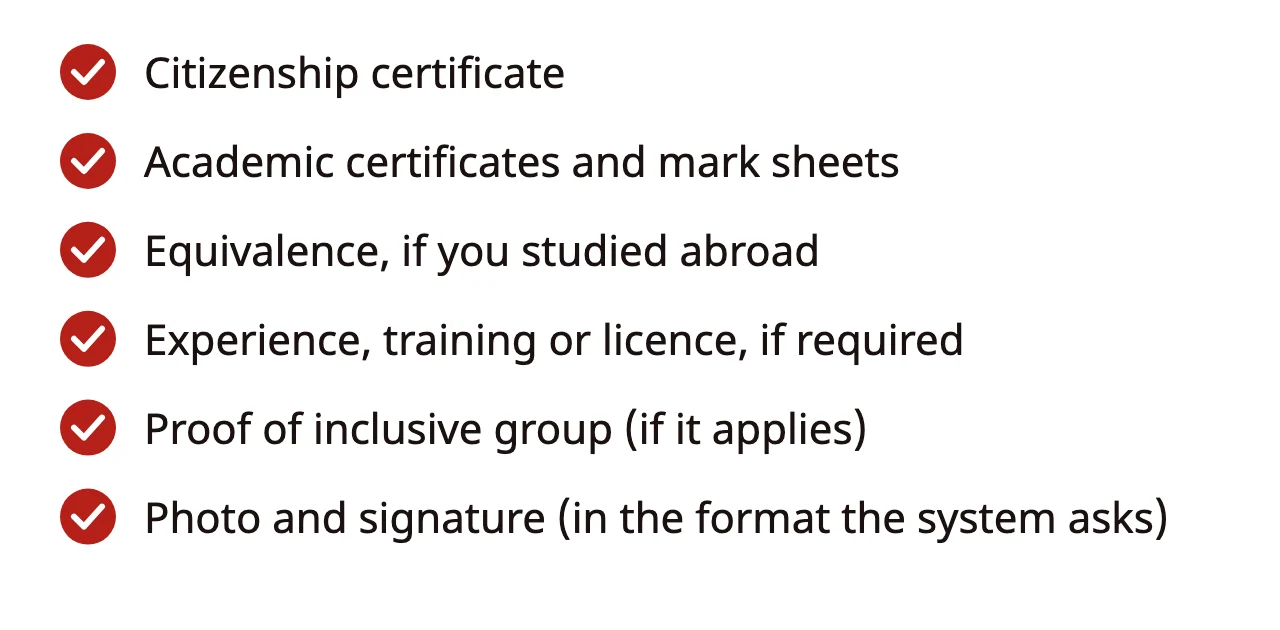
According to the Commission's latest advertisement, candidates must upload every document the advertisement asks for, including education, training, experience and professional licence certificates, in the right place in the online system, and they are fully responsible for the details written in the application.
Scan documents so that the letters are clearly readable.
Education conditions
- You must have the required qualification by the last date for applying.
- If you studied at a foreign institution, you must have your equivalence certificate from the relevant body by the same date.
- If your result is out but the original certificate has not been issued, you can apply with a letter from your institution confirming you passed and the mark sheets of every year or semester, and upload the original certificate as soon as it is issued.
Documents for inclusive groups
Candidates applying under the Adivasi/Janajati, Madhesi, Dalit, disability or backward-area groups must submit the proof the advertisement names. For example, a disability identity card, or for a backward area, citizenship and proof of permanent residence from that district. If you took citizenship from a district other than your permanent one, extra documents such as a letter giving the reason may be asked for.
Loksewa online form photo size and signature
The official photo and signature size is the one shown on the upload page of the online form, so read that page before you resize anything. Common settings are 300 × 350 pixels up to 200 KB for a photo and 300 × 80 pixels up to 100 KB for a signature, but these are not official numbers; if the form asks for something different, use the form's numbers. Use a white or light background with your face clearly visible, and sign on plain white paper in dark ink.
Our photo and signature resizer lets you enter the width, height and KB limit from the form and download a JPG. The image is resized inside your own browser and is never sent to our server.
Step 2: fill in your profile
Enter your personal details, address, education and experience in the online system. Write your name, surname and date of birth exactly as on your citizenship certificate; a one-letter difference can cause trouble later. The "Master ID" mentioned in the advertisement identifies your application and fee payment, so keep it safe.
Step 3: choose the advertisement and groups
Kharidar (खरिदार) and Nayab Subba (Nasu, नायब सुब्बा) use a joint and integrated exam: one written exam selects candidates for posts in the Judicial, Foreign Affairs, Administration, Audit and Parliament services. Under the latest advertisement's conditions, for joint exams and advertisements with inclusive groups, you must apply for every service group and inclusive group you want at the same time. Do not assume you can add one later.
For Nayab Subba, the third paper differs by service group, so think about your preparation too when you choose a group. The Nasu third paper syllabus explains what differs.
Step 4: pay the fee
According to the latest advertisement, the fee can be paid in two ways:
- Online: directly through the application system by electronic payment.
- Bank voucher: print the voucher with your Master ID and transaction code and pay cash at one of the listed banks.
The fee is different in every advertisement. For example, the Section Officer advertisement sets Rs 1,200 per advertisement and Rs 400 more for each extra inclusive group in the same service group. Check the Kharidar and Nasu fees in their own advertisements.
Deadlines and the double fee
Every advertisement has two deadlines: the last date for applying with the normal fee, and a few extra days after it for applying with a double fee. The last date for paying the fee is also in the advertisement. Under the latest advertisement's conditions, the double-fee period does not count for age, education, experience or other qualifications, which means you must qualify within the normal period. How age is counted is in our Loksewa age limit guide.
Applications that are late, do not meet the minimum qualification, leave out required details or have no fee paid are not accepted.
What to do after you apply
- Download or print your application and proof of fee payment (receipt or voucher).
- The Commission publishes the exam centre, exam schedule and admit card notices separately; check our notices page (in Nepali) regularly.
- If you need a scribe, contact the relevant Commission office at least 10 days before the written exam starts.
- Use only black ink in the exam; other ink can get your answer book cancelled.
- If you are selected for the interview, bring the originals of the documents named in your application and copies you have attested yourself.
Common mistakes
- Waiting for the last day: the system can be slow on the last day; apply at least three or four days early.
- Incomplete uploads: one missing page of a mark sheet can get an application rejected.
- Leaving out a group: in a joint exam, not choosing all the groups you want at once loses you a chance.
- Fake sites: open the link only from the Commission's website, and never share your password.
- Not keeping fee proof: without proof it is hard to claim anything if something goes wrong.
Preparing after you apply
The date of the Stage I exam is in the advertisement. In the latest Section Officer advertisement, there were only 39 days between the last date for applying, 1 December 2026 (मंसिर १५, २०८३), and the Stage I exam, 9 January 2027 (पुस २५, २०८३). Use that time for mock tests and revision; a plan is in our 30-day Kharidar first paper plan. In the Dipa App, advertisement and exam notices arrive in the app and by push notification; see what we offer.
Applying for both Kharidar and Nasu
Kharidar and Nayab Subba are separate advertisements that come out at different times. Under the Commission's annual schedule, the Nasu advertisement is planned for the last Wednesday of Mangsir, 9 December 2026 (मंसिर २३, २०८३), and the Kharidar advertisement for the last Wednesday of Poush, 13 January 2027 (पुस २९, २०८३). To compete in both, apply separately to both advertisements; each has its own fee and deadline. The documents and profile you prepare for the first also work for the second, so fill in your profile completely and correctly the first time.
As soon as each advertisement is out, we update our notice pages (in Nepali) with the key points, deadlines and fees: Nayab Subba vacancy 2083 and Kharidar vacancy 2083.
Details to check in your profile
- Name and surname: if your citizenship and academic certificates differ, keep a document that explains why.
- Address: match your permanent address with your citizenship; this matters if you claim the backward-area provision.
- Education: level, subject, board or university, year passed and division, exactly as on the certificate.
- Mobile and email: a number and email you use yourself; Commission notices may come to them.
Read the whole profile once before you save it. Because you are responsible for every detail in the application, a small mistake can become a big problem later. Keep a PDF or screenshot of the finished profile; it makes the next application easier. If you forget your password, reset it only through the system itself, and always log out after applying from a cyber cafe.
Conclusion
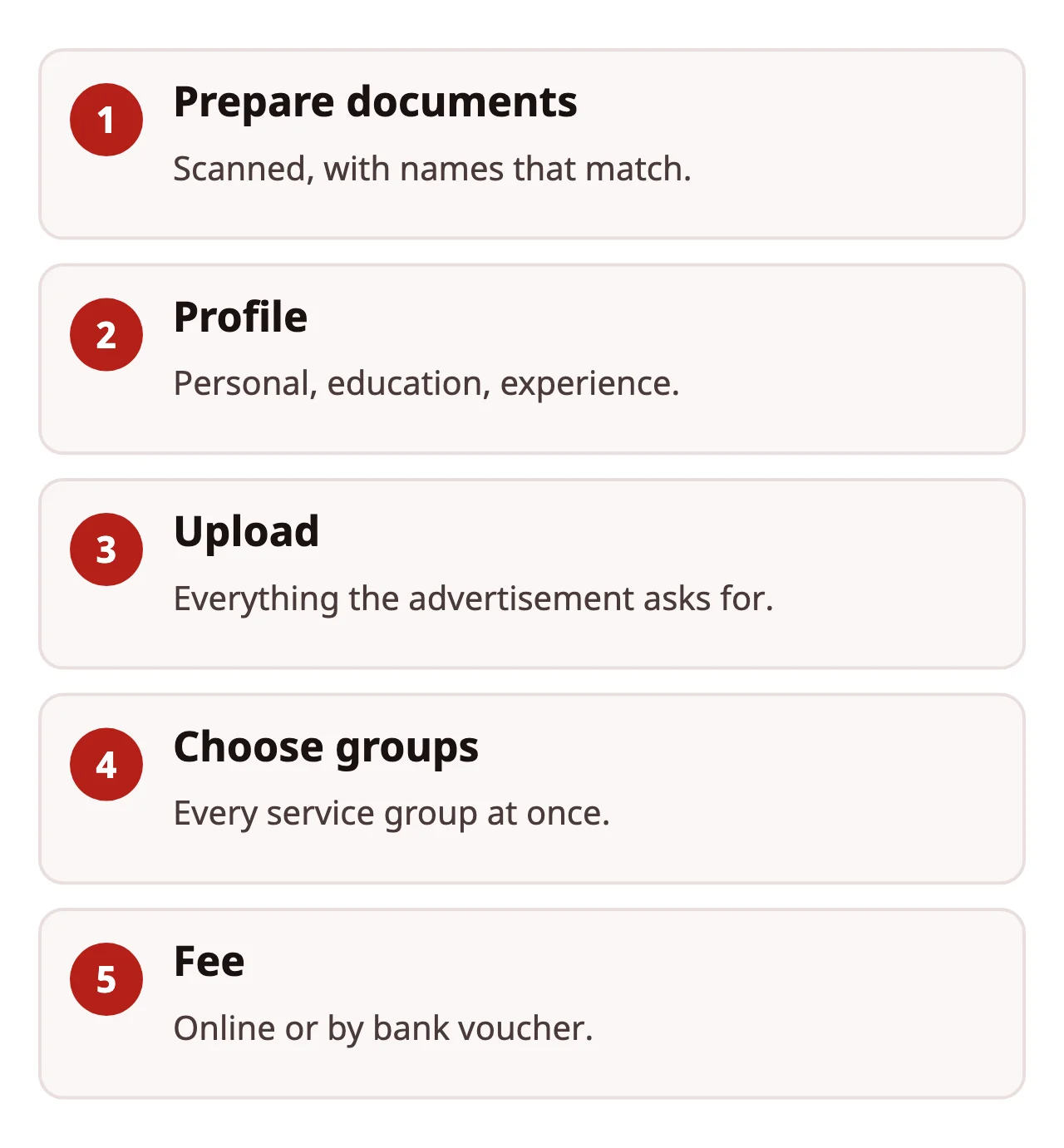
The online application is a simple five-step job: documents, profile, upload, group choice and fee. But at every step you must match the advertisement's conditions. Prepare your documents early, choose all your groups at once, pay before the deadline and keep the proof. If a condition is unclear, ask the relevant Commission office; details filled in by guesswork are hard to correct later. When the form is done, start your preparation with the free Lok Sewa Free Starter.
Apply online to the Public Service Commission
- Prepare documents: Scan your citizenship certificate, academic certificates, photo and signature.
- Fill in the profile: Enter your personal, address, education and experience details in the online system.
- Upload documents: Upload every document the advertisement asks for in the right place.
- Choose the advertisement and groups: Choose every service group and inclusive group you want, all at once.
- Pay the fee: Pay online or by bank voucher before the deadline and keep a copy of the application.
Frequently asked questions
Where do I submit a Lok Sewa application?
Through the Public Service Commission's online application system. Its address is currently psconline1.psc.gov.np; because the address can change, always open the link from the Commission's website psc.gov.np.
How do I pay the application fee?
According to the latest PSC advertisement, you can pay online directly through the application system, or print a bank voucher with your Master ID and transaction code and pay cash at one of the listed banks.
What changes if I apply with the double fee?
After the normal deadline you can still apply within a set period by paying double the fee, but the latest advertisement says the double-fee period does not count for age, education or experience.
What is the photo size for the Loksewa online form?
The official size and KB limit are the ones shown on the upload page of the online form. Common settings are 300 × 350 pixels up to 200 KB for a photo and 300 × 80 pixels up to 100 KB for a signature, but use the form's numbers if they differ.
Sources
- Section Officer or equivalent advertisement (2083/7/25): conditions on applications, fees and documents (PDF, Nepali), Public Service Commission (2026-11-11)
- Public Service Commission: online application system, Public Service Commission (2026-11-11)
Courses for this topic
Lok Sewa Free Starter: Where to Begin
Free for life: how the Kharidar and Nasu exams work, who can apply, the marks and a study plan.
Kharidar + Nayab Subba First Paper Combo
Sitting both exams after +2? Screening preparation for both at one price.

Study in the Dipa App
Buy courses, join Live Classes and practise every day in the app. Payment works inside the app with eSewa.

Author
Dipa Academy editorial team
Dipa Academy's editorial team writes Lok Sewa guides from the Public Service Commission's official syllabus, notices and results, and cites every source.
Read next
Loksewa Age Limit: How Old You Must Be and How Age Is Counted
11 November 2026 (कात्तिक २५, २०८३)Top 10 Loksewa Institutes in Nepal (2026): How to Choose
21 November 2026 (मंसिर ५, २०८३)Nasu Third Paper: a Different Paper per Service Group
21 November 2026 (मंसिर ५, २०८३)